
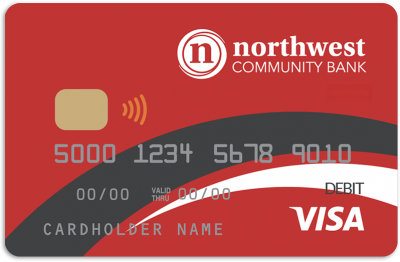
Your new Visa debit card has contactless pay.

Just tap and go.

Northwest Visa Debit Card

What you need to know

  • Please activate your new Visa debit card as soon as you receive it.
  • Remember to update your card information for recurring payments like utilities, streaming services and other regular bills that are paid automatically.
  • Do you use Apple Pay, Google Pay, or CardValet? Simply delete your old card and add the new Visa card to your digital wallet.
  • If you haven’t received your new card, please stop by a branch or call us at 855-275-0164. We’ll get one to you right away.

Thank you for the opportunity to serve you and your banking needs.
Welcome to a new, convenient way to pay – just tap and go.
NFC Payment vector set icon. Terminal confirms payment concept.

Have questions? See answers below.

Q. Why am I receiving a new card?

A. We are enhancing the services of your Northwest Community Bank debit card from Mastercard to Visa with contactless pay. Google Pay has also been added to your new Visa debit card.

Q. What is changing and what do I need to do?

A. This card replaces your existing card, which will expire soon. You’ll need to activate your new card as soon as you receive it and destroy your current card. The new card comes with a new account number and expiration date, so you’ll need to update any merchants who automatically bill your account with this new information. This may include your wireless, cable and/or internet providers, streaming services, food delivery, insurance companies, highway toll accounts, monthly utilities and online retailers.

Q. Is my card number changing?

A. Yes, your new card comes with a new number, expiration date, and security code. Please update the following once your new card arrives:

  • Merchants who regularly bill your previous account through automatic, card-on-file or recurring payments
  • Merchants who have your card-on-file, e.g., online retailers, utilities
  • In-app purchases
  • Any bill pay service you use to regularly pay your bill

Q. When will I get my new card?

A. Your new Northwest Community Bank Visa card has been mailed to you. Please check your mail and activate it right away. You should also update merchants who automatically bill your account with the new card number, expiration date, and security code.

Q. When can I start using my new card?

A. As soon as you receive it and activate it.

Q. Can I still use my current Northwest Community Bank debit card?

A. Once you activate your new card, your current debit card will be deactivated and cannot be used.

Q. What should I do with my current card?

A. Once you’ve received and activated your new card, destroy and discard your current card.

Depending on your current debit card expiration date, you may have recently received an updated Mastercard. Your new Visa card will replace it.

Q. What will happen with automatic/recurring bill payments on my card?

A. You’ll need to contact any merchants who regularly billed your previous account and provide your new account number, expiration date, and security code. This may include your wireless, cable and/or internet providers, streaming services, food delivery, insurance companies, highway toll accounts, monthly utilities and online retailers.

Q. What do I need to do if I pay my account using a bill pay service?

A. You’ll need to update your bill pay service with your new account number, once you receive your new card.

Q. Can I use my new card with digital wallets like Apple Pay, Google Pay, and CardValet?

Yes, you will be able to use these digital wallets. If you have used them with your current card, simply delete your old card and add your new one.

Welcome to a new, convenient way to pay – just tap and go.
NFC Payment vector set icon. Terminal confirms payment concept.